Accessibility Overlays: The Accessibility Overlay Mirage
By The bee2.io Engineering Team at bee2.io LLC
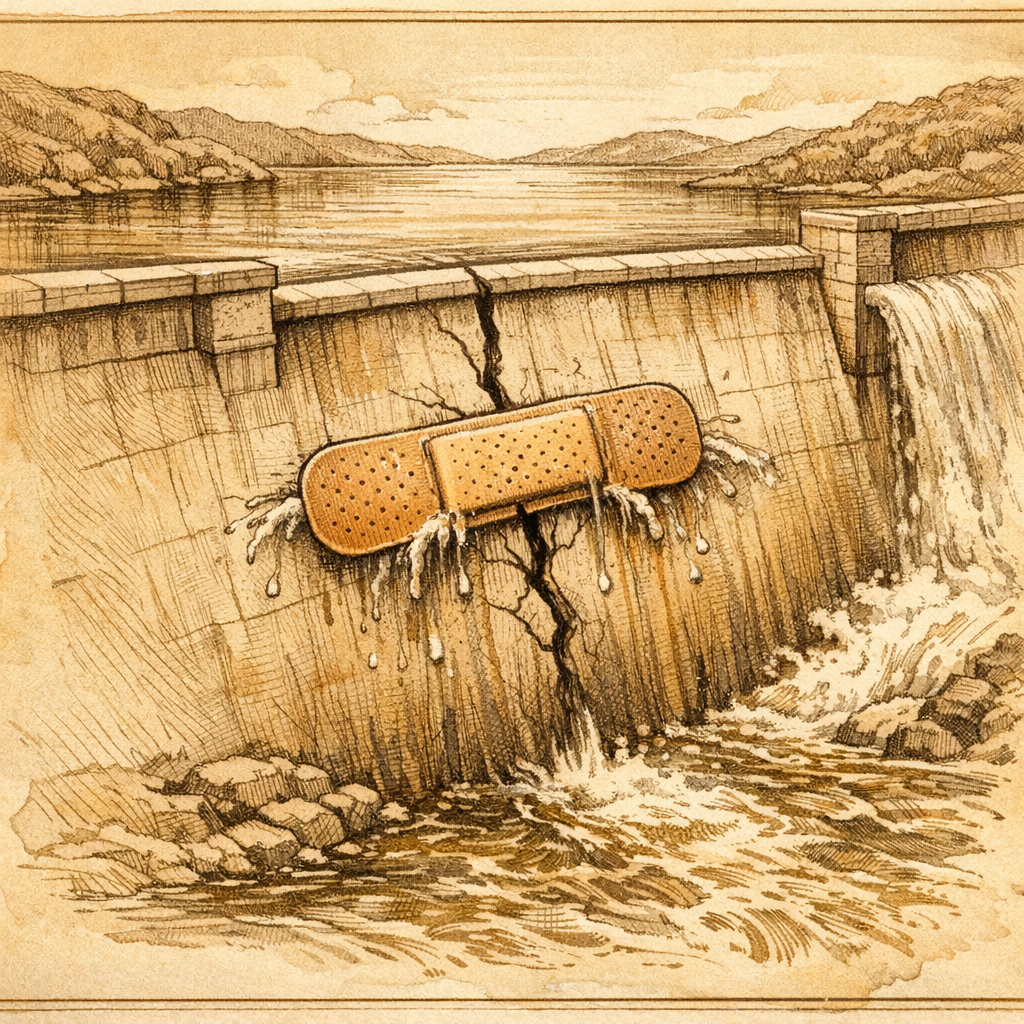
You know that feeling when someone tells you they've solved a massive problem with one weird trick? Yeah. That's the accessibility overlay widget industry in a nutshell, except instead of dermatologists hating them, it's actually people who are blind, deaf, or use assistive technology absolutely despising them.
Here's the setup: You've got a website. It's beautiful. It's modern. It loads fast (probably because you deleted all the accessibility features to shave off milliseconds). And then someone - maybe your CEO, maybe your lawyer, maybe that one person in Slack who read an article once - says "Hey, we should probably not get sued." So you slap on an accessibility overlay widget, add it to your deployment pipeline faster than you can say "checkbox compliance," and suddenly you're convinced you've solved accessibility. Congratulations! You've just put a tuxedo on a hot dog.
The Accessibility Overlay Mirage: One Line of Code That Breaks Everything
Let's talk about what accessibility overlay widgets actually do. In theory, they sound amazing. You add a single line of JavaScript to your site, and boom - instant accessibility compliance. It's like a Swiss Army knife for people with disabilities, except the knife is rusty, half the tools are broken, and it actively cuts you while you're trying to use it.
Here's the technical reality that nobody wants to admit: These overlays attempt to retroactively fix inaccessible code by manipulating the DOM after the page loads. Think of it like putting a air freshener in a dumpster and declaring you've cleaned the dumpster. The dumpster is still a dumpster, it just smells better to people who aren't actually in the dumpster.
Industry data shows that over 98% of the top 1 million websites still have accessibility errors - many of them sitting right next to an accessibility overlay widget, like a bad security system advertising itself on a storefront with broken locks. One major e-commerce platform discovered that their overlay was literally preventing screen reader users from even accessing their products, which is the opposite of the goal when you're trying to sell things to people.
- Overlays often break keyboard navigation - you know, that thing people who can't use a mouse depend on
- They interfere with actual assistive technology like screen readers, creating conflicting commands
- They slow down your site because you're now loading extra JavaScript just to not solve your problems
- They create a false sense of security that prevents real accessibility improvements
The worst part? These overlays generate compliance theater. You get a certificate that says "Certified Accessible!" in letters so small and low-contrast that, ironically, nobody can read it.
Why "Quick Fix" Accessibility Is Like Putting a Band-Aid on a Broken Leg
Here's where I get genuinely frustrated on behalf of users: Real accessibility requires actual work. I know, I know - nobody wants to hear that. We all want the one weird trick. We want the magic bullet. We want to go to bed tonight knowing our website is accessible without having to, you know, make it actually accessible.
But accessible design means:
- Using semantic HTML correctly from the start
- Building with real keyboard navigation in mind
- Writing alt text that actually describes images
- Testing with actual assistive technology, not just running an automated scanner
- Treating accessibility as a core feature, not a checkbox to tick before launch
An accessibility overlay widget is like hiring someone to do your taxes by having them stand behind you while you fill out the forms wrong. The presence of help doesn't fix the fundamental problem - the forms are still wrong.
The Americans with Disabilities Act lawsuits have been piling up like spam emails in a folder nobody checks, and guess what? Courts are increasingly skeptical of overlay-only solutions. Turns out judges don't appreciate performative accessibility either.
The Real Solution (It's Less Glamorous, But It Actually Works)
If you actually care about accessibility - and statistically, one in four people who visit your site have some form of disability - here's what you actually need to do:
Stop thinking of accessibility as something you bolt on after the fact. It's not a feature. It's not a plugin. It's a fundamental part of building for the web. You wouldn't bolt on "mobile responsiveness" to a desktop-only site in 2026, would you? (Don't answer that. I know some of you would.)
Start with real audits. Not automated tools alone - actual testing with people who use assistive technology. Get a screen reader. Use your site with your keyboard. Try navigating with your eyes closed. It's uncomfortable. Good. That discomfort is the feeling of empathy, and you probably need more of it.
Then fix the actual code. Update your HTML structure. Write proper ARIA labels when semantic HTML isn't enough. Test everything. It takes time, but unlike that overlay widget taking up space in your bundle, it actually works.
Here's the part where I'm supposed to convince you that SCOUTb2 will solve everything, and sure, our browser extension can help you identify accessibility issues automatically. But the honest truth? It's a starting point, not a destination. Use it to find problems, then get to work fixing them properly. That's the one-line fix that actually works: Do the work.
Go check your own website right now. Turn off your mouse. Try navigating with just a keyboard. Try using a screen reader if you've got one. See if you'd use your own site if you had to use it that way. That's your real accessibility audit right there.
Disclaimer: This article is for informational purposes only and does not constitute legal, professional, or compliance advice. SCOUTb2 is an automated scanning tool that helps identify common issues but does not guarantee full compliance with any standard or regulation.
Stop finding issues manually
SCOUTb2 scans your entire site for accessibility, performance, and SEO problems automatically.